How to Triage Public SaaS Customer Feedback
To triage public SaaS feedback, collect mentions of your product, check each original conversation, separate bug reports from feature requests, and record a next action. Use ChatterBeam review states to track your progress, then compare recurring themes over the same sources and dates.
By ChatterBeam · Updated
At a glance
Collect source-linked product feedback, organize bug reports and feature requests, and review sentiment with ChatterBeam.
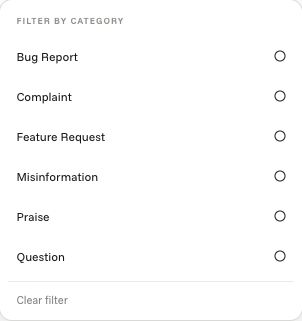
Collect feedback around a product or launch
Create focused keywords for your product and relevant aliases. Group them by product or campaign so saved views can follow that grouping as your monitoring changes.
Use classification as a starting point
Review categories and sentiment alongside the original content. Automated classification helps organize a feed, but sarcasm, short posts, and missing context can affect interpretation. Source-specific classification behavior also differs.
Distinguish a bug, a request, and a question
Fictional examples: ‘The export fails after I choose CSV’ is a reported failure to investigate; ‘Please add scheduled exports’ requests a capability; ‘Where is the export button?’ may indicate a documentation or usability problem. Read the original thread before deciding which interpretation applies. These examples illustrate triage, not verified incidents in a customer's workspace.
Move mentions through a follow-up workflow
Use Open, Follow up, and Done states to distinguish new evidence from items already reviewed. Save useful mentions and mark unrelated results irrelevant to keep your working feed focused.
Prepare a useful handoff
In your team's issue tracker or research notes, record the source URL, post date, affected task, observed behavior, expected behavior, missing context, and next action. Keep the mention available in ChatterBeam for follow-up. A public complaint may lack reproduction steps, so label the problem unverified until your team checks it.
Choose between a text check and ongoing monitoring
Use the free sentiment analysis tool for one pasted English review when you only need a local dictionary score. Use the monitoring workspace when you need to discover new public mentions, keep their source links and review them over time. An AI assistant connected through MCP works with authorized collected data; it does not make a small feedback sample representative of every customer.
Check trends against concrete examples
Review Analytics over a consistent date range, then inspect individual mentions before drawing a conclusion. A rise in negative collected mentions can suggest an issue to investigate; it does not by itself measure sentiment across your whole customer base.
Supporting product documentation
Common questions
Does this replace customer support?
No. ChatterBeam helps you discover and review public feedback. It complements direct support conversations and your team's issue-tracking process.
Link to this answerCan my team receive alerts?
Configure alerts for the criteria you want to track. Delivery depends on your alert settings, supported channels, and account limits.
Link to this answerTry a single piece of feedback
Paste an English review into our free sentiment analysis tool to inspect its dictionary-based score before exploring the broader conversation.
Put it into practice
Start with one product keyword, inspect the collected mentions, and refine your rules from the results.
Create your workspace →Related guides
- How to Interpret Social Listening Analytics
- Competitor Monitoring for SaaS Teams: Mentions and Feedback
- ChatterBeam Data Sources and Coverage